Keep in sync
MCP and agents
Your AI agent already knows your architecture from the code; connected to Datadef, it can draw it without you leaving the chat or editor. Datadef runs a remote MCP server at https://datadef.io/mcp (Streamable HTTP, bearer auth): an agent connected to it can create diagrams from a description, edit an existing diagram node by node, export images, and refresh repo-linked diagrams. Agent-built diagrams follow the same design standard as Datadef's own generator, so they land in your workspace looking like yours.
How it works
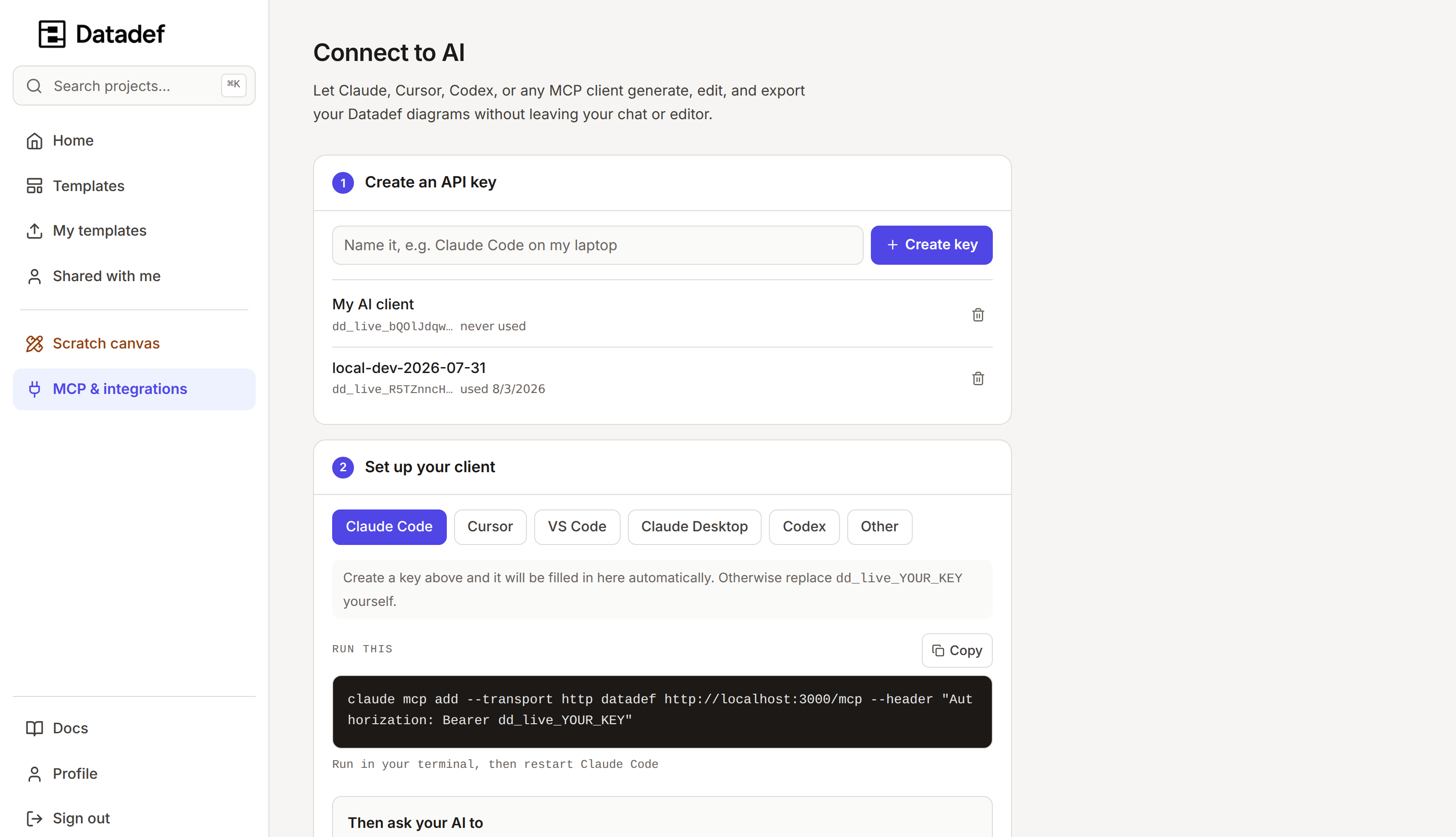
- 1Create an API key on the MCP & integrations page. MCP access is included with every account, and the key is shown once.
- 2Pick your client and copy the prefilled snippet: one command for Claude Code, one-click for Cursor and VS Code, OAuth for ChatGPT.
- 3Ask the agent for a diagram. It calls
create_diagram,edit_diagram, and the canvas tools against your account. - 4The result is a normal project in your dashboard: editable, shareable, embeddable, versioned.
Setup
Everything happens on MCP & integrations in the app: create an API key (shown once, so copy it there), pick your client, and copy the prefilled snippet. MCP access is included with every account; the key keeps authenticating until you revoke it. Diagrams an agent generates or edits spend credits at the same rate as the app, and nothing else an agent does costs anything.
Claude Code
claude mcp add --transport http datadef https://datadef.io/mcp \
  --header "Authorization: Bearer dd_live_YOUR_KEY"
The --transport http flag is required; without it the URL is treated as a local command and the server never appears.
Cursor, VS Code, Claude Desktop, Codex, Gemini CLI
The settings page has a one-click install for Cursor and VS Code and copy-paste config for the rest. Desktop clients that only speak stdio bridge through mcp-remote, which forwards the Authorization header:
{
  "mcpServers": {
    "datadef": {
      "command": "npx",
      "args": ["-y", "mcp-remote", "https://datadef.io/mcp",
               "--header", "Authorization: Bearer dd_live_YOUR_KEY"]
    }
  }
}
ChatGPT and other OAuth clients
Datadef's MCP endpoint is also an OAuth 2.1 authorization server, which is the flow ChatGPT connectors require. Add https://datadef.io/mcp as a connector and sign in to Datadef when prompted; no API key is pasted anywhere. Any other client that speaks Streamable HTTP can connect either way: OAuth, or the URL plus an Authorization: Bearer header.
The tools
| Tool | What it does |
|---|---|
create_diagram | Generate a full diagram from a prompt. Takes a scope (overview or detailed) and saves to your account. |
create_blank_diagram | Create an empty diagram for an agent to build up tool call by tool call. |
list_diagrams | List the diagrams the key’s account can access. |
get_diagram | Read a diagram, including generation status while one is running. |
edit_diagram | Apply a described change to an existing diagram. |
export_diagram | Render PNG or JPEG, returned inline plus a signed download URL. |
repo_status | For a repo-linked project: connection, ref, last sync, freshness. |
repo_refresh | Trigger a sync of a repo-linked project. |
get_design_guide | Datadef’s diagram design standard, for agents building by hand. |
canvas_* | 27 atomic tools: read and inspect, add and update nodes, connect, group into zones, set table columns, add lineage, annotate, lay out, validate. |
One standard for humans and agents
get_design_guide returns the same size, edge, and zone standard the generator follows. An agent that reads it first produces diagrams indistinguishable from generated ones, so hand-built and generated diagrams mix in one workspace without a style split.
The regeneration loop
The point of the MCP surface is diagrams that track the code. An agent with repo access can regenerate or patch a diagram after a merge, on a schedule, or when asked during review. Datadef itself does not watch your repositories; the loop is agent-invoked or CI-invoked, one call away. For sync that Datadef schedules on its own, use a repository connection, whose daily refresh runs server-side.
Further reading