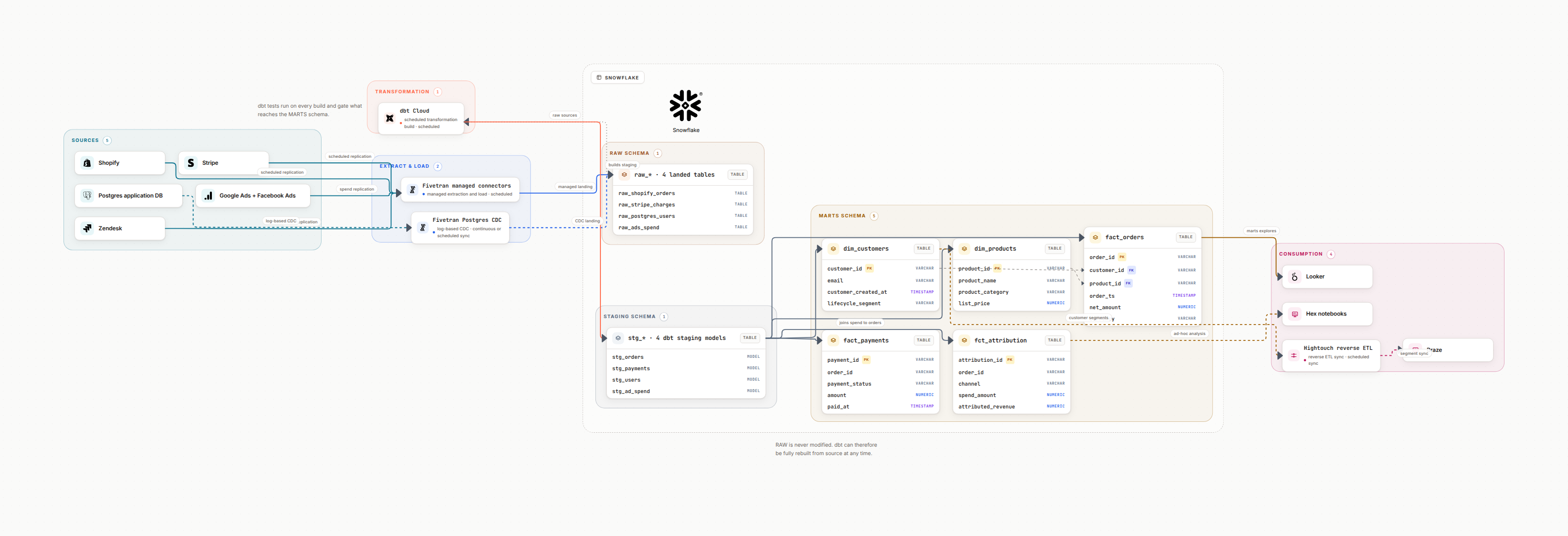
1. Project Structure
A well-organized dbt project follows a layered directory structure. Each layer has a clear purpose and only references the layer before it.
models/
├── staging/           # 1:1 with sources, renamed columns
│   ├── stripe/
│   │   ├── _stripe__sources.yml
│   │   ├── stg_stripe__payments.sql
│   │   └── stg_stripe__customers.sql
│   └── salesforce/
│       ├── _salesforce__sources.yml
│       └── stg_salesforce__accounts.sql
├── intermediate/      # Business logic, joins, transformations
│   ├── int_payments_pivoted.sql
│   └── int_customer_orders.sql
└── marts/             # Final business-ready models
    ├── finance/
    │   └── fct_revenue.sql
    └── marketing/
        └── dim_customers.sql
Anti-Pattern: Flat Models
Don't put all 200 models in one directory. Without layers, you get circular dependencies, untestable logic, and impossible debugging.
2. Model Layering
Staging (stg_)
One model per source table. Rename columns, cast types, add surrogate keys. No joins, no business logic. Materialized as views.
Intermediate (int_)
Join staging models, apply business logic, pivot/unpivot. Not exposed to BI tools. Materialized as ephemeral or views.
Marts (fct_ / dim_)
Final business-ready fact and dimension tables. Consumed by BI tools and analysts. Materialized as tables or incremental.
3. Testing Strategy
Schema Tests
Built-in: unique, not_null, accepted_values, relationships. Define in .yml files. Every primary key should have unique + not_null.
Data Tests
Custom SQL queries in tests/ directory. Should return 0 rows. Test business rules like "revenue should never be negative."
Unit Tests (dbt 1.8+)
Mock input data, assert expected output. Test complex transformations in isolation without running against the warehouse.
CI Tests
Run tests on PRs with dbt slim CI. Use state:modified to only test changed models and their downstream dependents.
4. Incremental Models
Incremental models process only new or changed records instead of rebuilding entire tables. Essential for large datasets where full refreshes are too slow or expensive.
-- models/marts/fct_events.sql
{{ config(
    materialized='incremental',
    unique_key='event_id',
    incremental_strategy='merge',
    on_schema_change='append_new_columns'
) }}

SELECT *
FROM {{ ref('stg_events') }}

{% if is_incremental() %}
WHERE event_timestamp > (
    SELECT MAX(event_timestamp) - INTERVAL '3 hours'
    FROM {{ this }}
)
{% endif %}
Use incremental when table > 10M rows
Always define unique_key for merge strategy
Add lookback window for late-arriving data
Run --full-refresh weekly as a safety net
5. Performance Tips
Use ref() everywhere, never hardcode table names
Materialize staging models as views to save storage
Use ephemeral for intermediate calculations
Limit columns in SELECT: avoid SELECT *
Use clustering/partitioning on large tables
Pre-aggregate in intermediate models before final joins
Enable dbt Cloud defer to avoid rebuilding everything
Profile slow queries with database query plans
6. FAQ
What is the recommended dbt project structure?
How should you test dbt models?
When should you use incremental models?
Visualize your dbt DAG
AI-generated dbt lineage diagrams. Map models, sources, and dependencies with cloud icons.
Try Datadef Free