A shared home for diagramsthat outlives any one account.
Diagrams scattered across personal accounts disappear when their owner does. In a Datadef team the projects belong to the workspace: every member works in them without per-project invitations, and restricted folders keep need-to-know work contained.
Free to create and invite · $99/month flat when you activate · Up to 5 seats
How it works
Three steps, one subscription
Creating the workspace and inviting people cost nothing. Billing starts when the owner activates.
Create and invite, free
Name the workspace and invite your people by email, you plus up to 4. Nothing is billed yet, and every completed step is saved.
Activate one subscription
The owner activates the plan: $99 a month flat for up to 5 seats. Membership in the billed team is what opens the shared workspace and its monthly credit pool.
Work in the same place
Switch to the team workspace from the sidebar. Its projects are open to every member with no per-project invitations, and folders keep it organized.
Every seat gets everything.
Membership in an actively billed team opens the shared workspace for every member, plus a monthly pool of AI credits the whole team draws from. Nobody expenses their own subscription.
The workspace
Shared by default, restricted when it must be
Folders organize the workspace. Most are open to the whole team; a restricted folder narrows access to the people added to it.
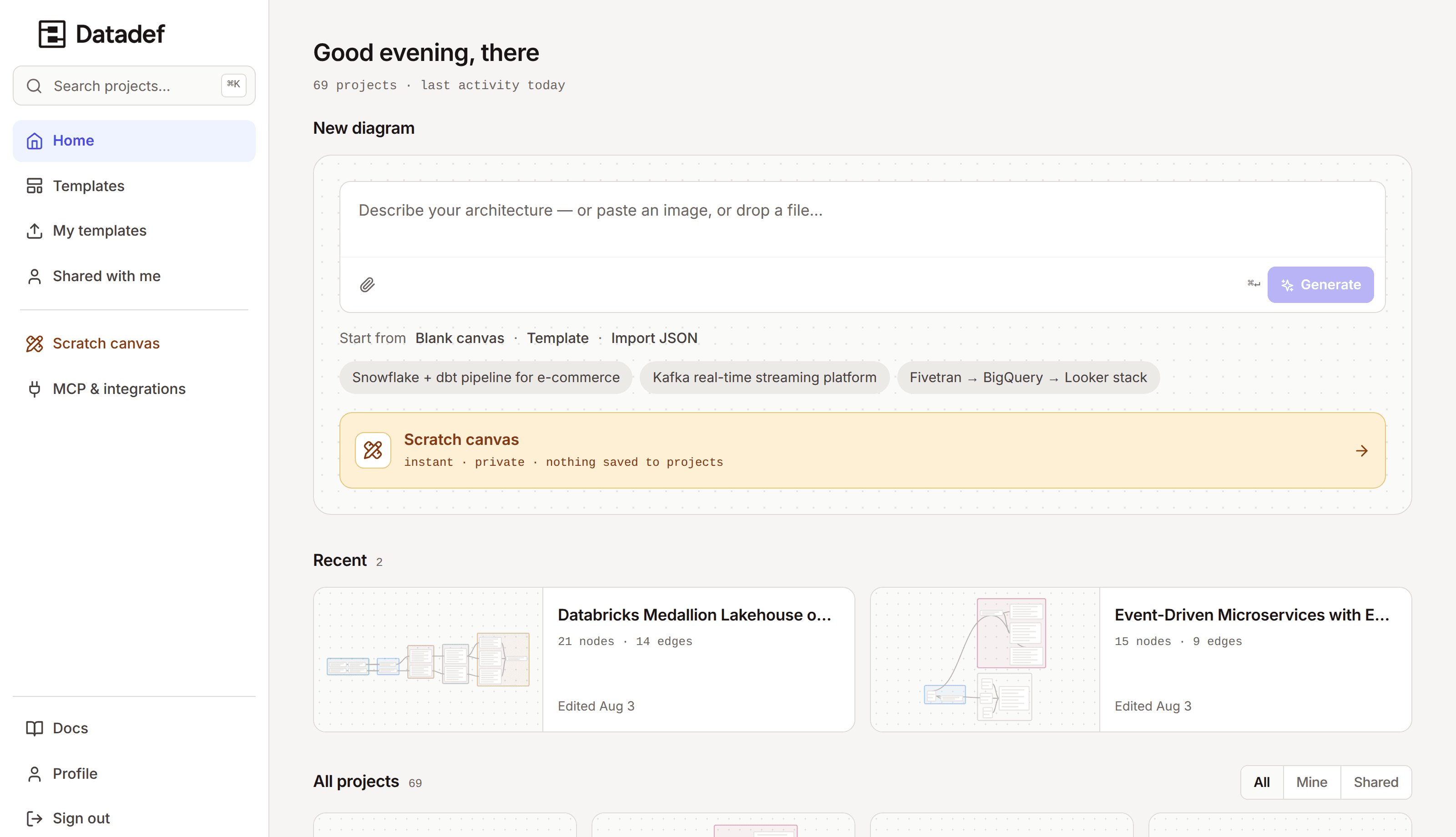
One workspace in the sidebar: the team's projects and folders, not a pile of share links.
No per-project invitations
Team projects are open to every member the moment they exist. Outside collaborators can still be invited to a single project when a contractor needs one diagram, not the workspace.
Need-to-know folders
Restricting a folder narrows the team-wide grant: only people added to it see its projects. Use it for an acquisition's infrastructure, a security review, a client under NDA.
Roles that match reality
Owners hold billing and cannot be demoted. Admins manage members, invitations, and folder access. Members create and edit. Per-project roles still apply underneath.
Pricing
One flat price, no seat math
The Team plan is $99 a month for up to 5 seats, billed monthly. No per-seat pricing, no tiers to compare, and with every seat filled it works out at $20 a person for the shared workspace and its pool of 500 credits a month.
- A shared monthly pool of AI credits, drawn from by every seat
- Repository sync: diagrams and docs that update from your repos
- MCP access from Claude Code, Cursor, and VS Code
- Shared folders, restricted when needed
- Roles and permissions per project
- Dedicated support
Team plan
Up to 5 seats · flat price · billed monthly
Set up your teamCreate the workspace and invite people free. $99/month when you activate.
Honest answers
How do seats work?▼
A team holds up to 5 seats: you plus up to 4 people. Members and pending invitations must fit in five together, so an unaccepted invitation holds a seat until it is accepted, revoked, or expires after 14 days. When all seats are taken, remove a member or revoke an invitation to free one.
Do team members need their own subscription?▼
No. Individuals have no subscription to buy: every feature is already included on every account. One team subscription, held by the owner, covers every member: being part of an actively billed team is what opens the shared workspace, restricted folders, and a shared monthly pool of AI credits everyone draws from, with nothing for anyone to expense individually.
Who sees what inside the workspace?▼
By default every member sees every team project; that is the point of a workspace. Folders can narrow that: a restricted folder is visible only to the people added to it, plus org owners and admins, the project's own owner, and anyone explicitly invited to a specific project. Restriction narrows the team-wide grant, nothing else.
Is there a trial?▼
There is nothing to start and nothing that expires. Every account already has every feature permanently, and only AI generation is metered in credits, so your team can evaluate the whole product before anyone pays. The team workspace itself has no separate trial either: creating it and inviting people are free, and billing starts only when the owner activates.
What does it cost?▼
$99 a month, flat, for up to 5 seats, billed monthly. There is no per-seat price and no annual team plan today. With every seat filled it works out at $20 a person for the shared workspace and its pool of 500 credits a month.
Can people outside the team work on a diagram?▼
Yes. Per-project sharing is unchanged: invite an outside collaborator to one project with a role, without giving them the workspace. A contractor can edit one diagram and see nothing else.
Give the diagrams one home
Create the workspace and invite your people now, free. Activate when the team is ready: one flat subscription, one shared workspace, one monthly credit pool.