Your AI agent drawsand maintains your diagrams.
The agent in your editor already knows the architecture. Connected to Datadef over MCP, it creates the diagram, edits it as the system changes, and exports it when you need a file, all from the chat you already have open.
Included on every account · No subscription · One API key
 Claude Code
 Cursor
 Copilot
 Codex
Codex Gemini CLI
How it works
One key, one command, then just ask
Datadef runs a remote MCP server. There is nothing to host and nothing to update.
Create an API key
On the MCP & integrations page in settings. The key is shown once, and the setup snippet comes prefilled with it. API access is included on every account, with no subscription.
Connect your client
One command for Claude Code, one-click installs for Cursor and VS Code, snippets for Claude Desktop, Codex, and Gemini CLI. ChatGPT connects over OAuth, no key pasted.
Ask in plain language
Describe the system, or let the agent describe the repo it is sitting in. The diagram lands in your workspace, editable, shareable, and ready to embed.
Not a chat artifact.
Agent-built diagrams are real canvases in your workspace, drawn to the same design standard as the in-app generator. Nothing lives only in the conversation.
The endpoint is https://datadef.io/mcp. Open it in a browser and it serves the connect instructions.
Setup
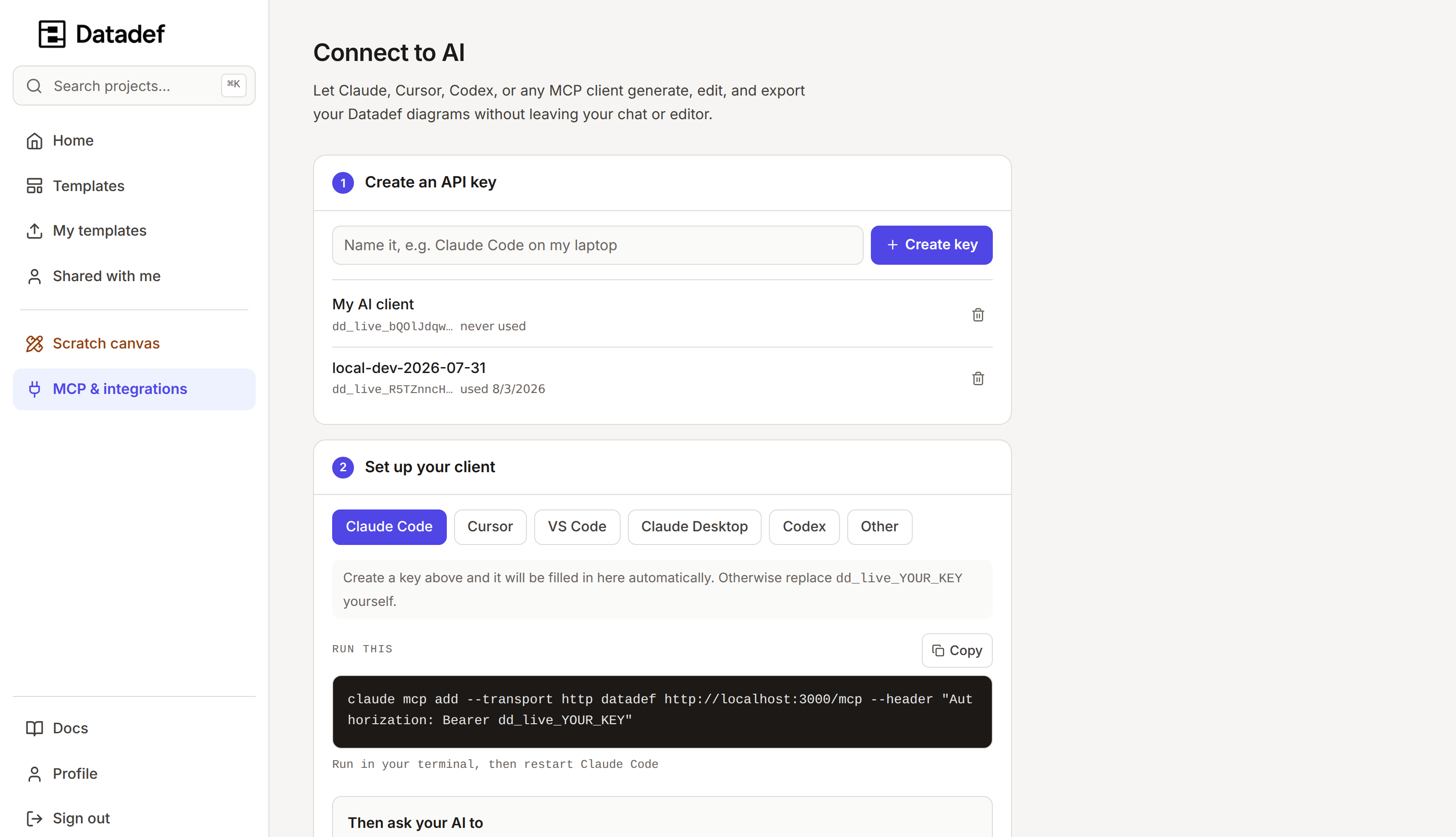
One page in settings
Create the key, pick your client, copy the prefilled command. This is the actual page.
In practice
The tools are the workflow
Draw it, change it, ship the image, keep it honest against the repo. Each step is a tool the agent calls for you.
create_diagram turns a description, or a schema file from the repo (SQL, Prisma), into a finished, editable diagram and returns a preview
edit_diagram applies plain-language changes: add nodes, rewire connections, relabel layers
export_diagram returns the image inline plus a download link that needs no API key
repo_status · repo_refresh check and re-sync diagrams linked to a repository
> Draw the checkout flow: API, orders DB, Kafka, payments worker.
create_diagram
Your diagram is ready. Open and edit: datadef.io/project/…
> We put a retry queue between Kafka and the worker. Add it.
edit_diagram
Retry Queue added between Kafka and the payments worker · updated preview attached
Honest answers
Which clients work?▼
Claude Code, Cursor, VS Code, Claude Desktop, Codex, Gemini CLI, and ChatGPT. Anything else that speaks MCP over Streamable HTTP connects the same way; the settings page keeps a prefilled setup snippet per client.
Where does the API key come from?▼
From the MCP & integrations page in settings. Create a key and copy it once, it is shown a single time, then paste it into the setup command for your client. ChatGPT is the exception: it connects with an OAuth sign-in and no pasted key.
Do I have to pay for MCP access?▼
No. The MCP server is included on every account, permanently, with no subscription for individuals. Mint a key and connect an agent on day one. Only AI generation is metered, in credits, so tools that read, edit by hand, or export cost nothing to call.
What can the agent actually do?▼
Create diagrams from a description, build or edit them node by node, change them with plain-language instructions, list and read what is in your workspace, export PNG or JPEG images, and check or refresh repo-linked diagrams with repo_status and repo_refresh. Agent-built diagrams follow the same design standard as the in-app generator.
Can the agent diagram my database schema?▼
Yes, and exactly. Ask it to pass your migrations, a schema dump, or schema.prisma to create_diagram. A schema is parsed rather than re-drawn by a model, so every table, column, primary key and foreign key matches the file, and it comes back in seconds.
SQL to ER diagramDoes it watch my repository on its own?▼
No. Over MCP, tools run when you ask, and nothing moves between sessions. Diagrams that regenerate daily without an agent in the loop are repository sync, a separate feature that pairs with these tools.
How repo sync worksDo the diagrams stay in the chat?▼
No. Every diagram the agent creates is a project in your Datadef workspace: open it on the canvas, hand-edit it, share it, embed it. The chat is just where the work got asked for.
Give your agent a canvas
Connect it once and the diagrams get drawn, updated, and exported from the chat you already work in. The MCP server comes with every account, with no subscription.